Export records
This document explains how to view segment export details, check export status, and download segment data to your local storage.
View export details
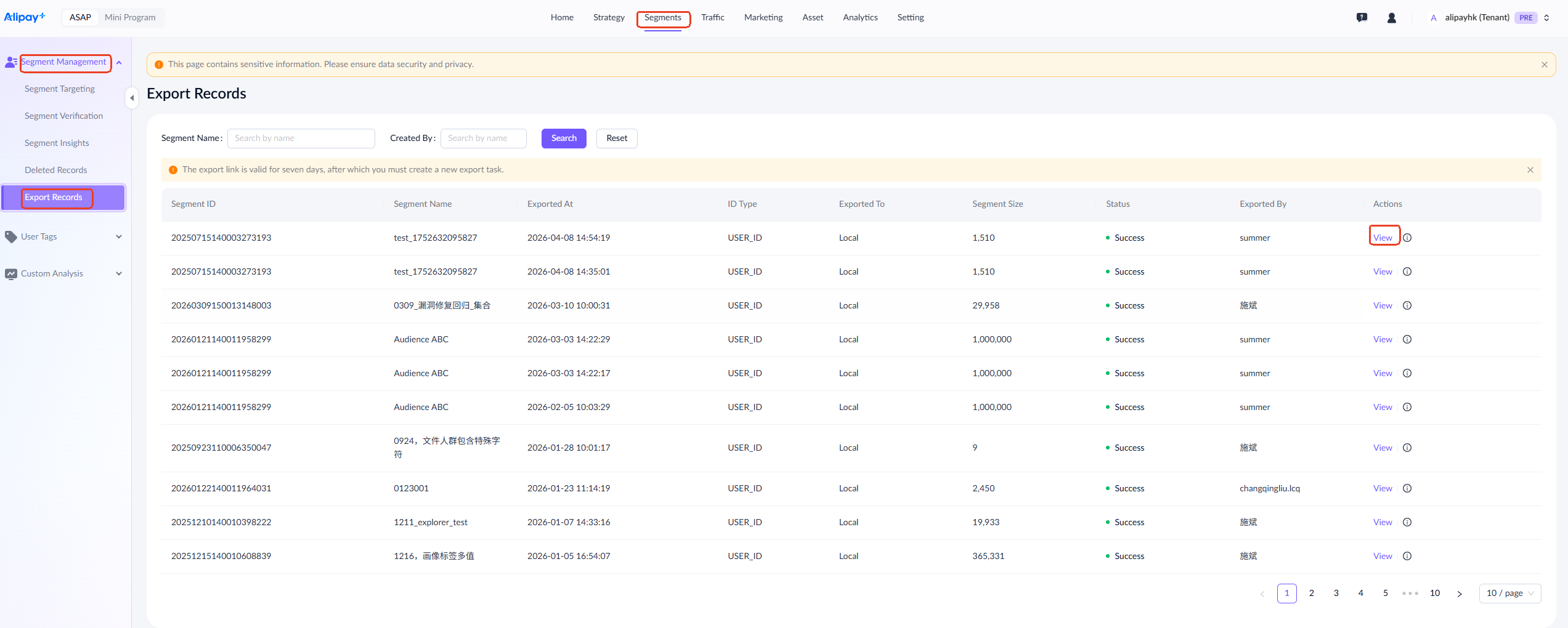
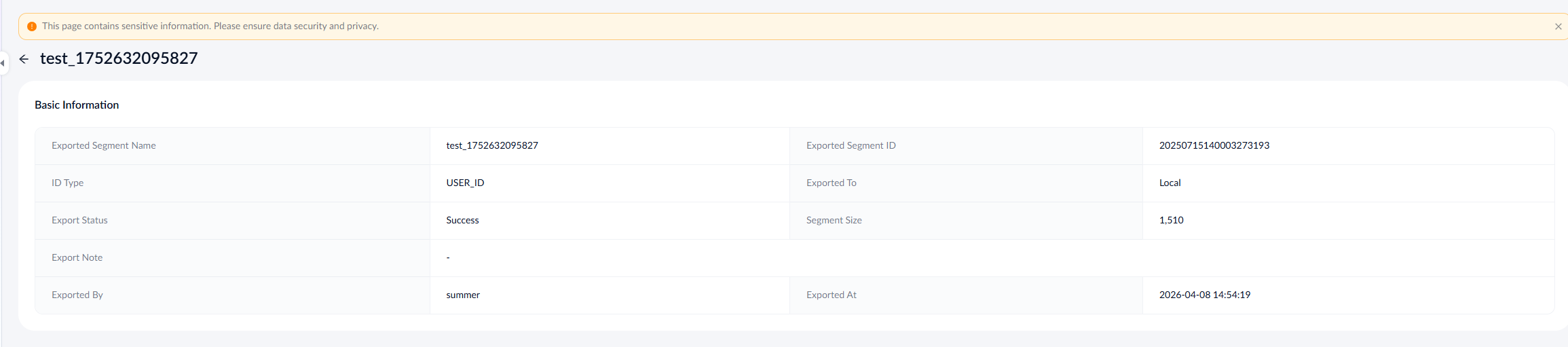
To view the exported segment list, go to Segments > Segment Management > Export Records. Click View in the actions column to view the export details.
Export segment data
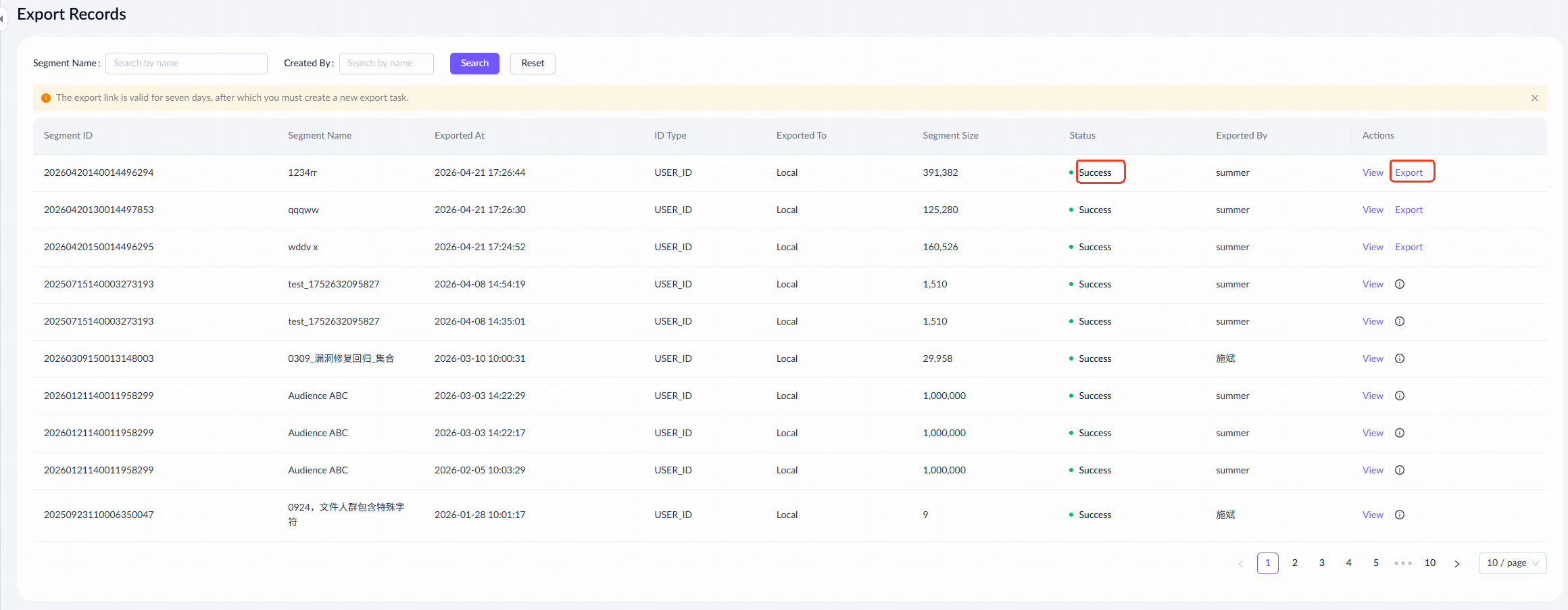
Select the segment you want to export from the export records. Once the export status is Success, you can click Export in the actions column to download the records in Excel format to your local storage. Note that the export row limit is a maximum of one million rows.