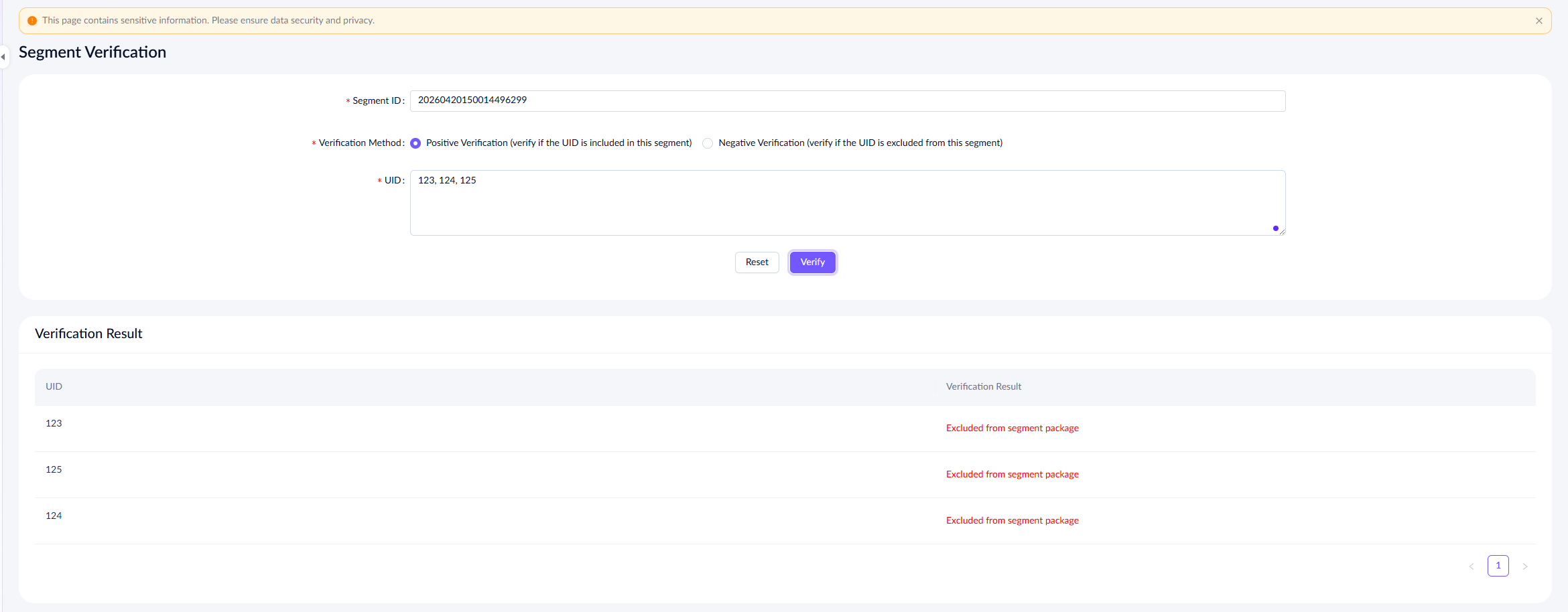
Segment verification
This document explains how to verify the segment after creation. Take the following steps to complete verification:
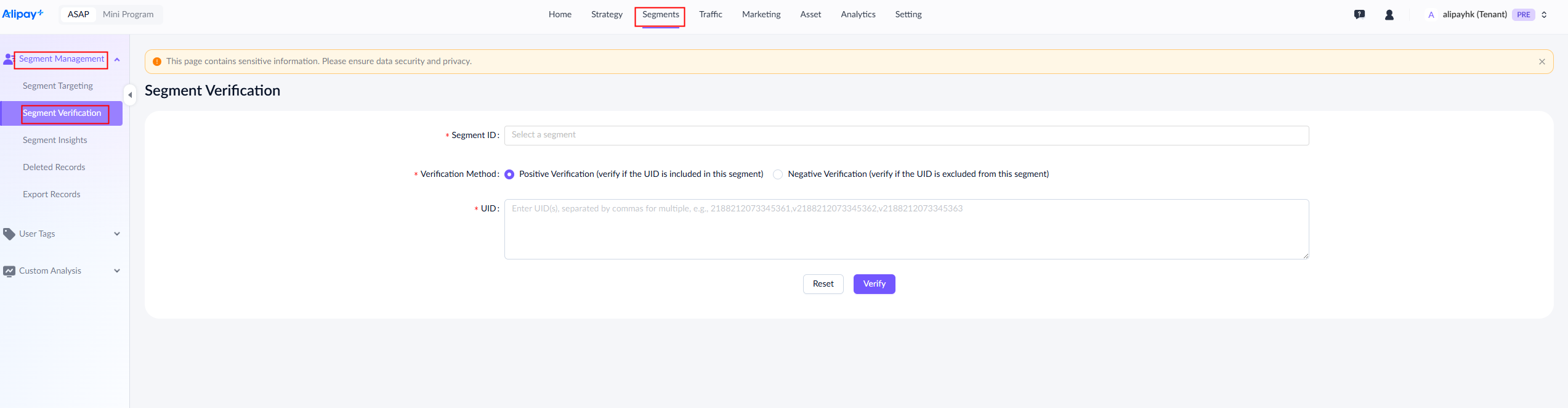
- Go to Segments > Segment Management > Segment Verification.
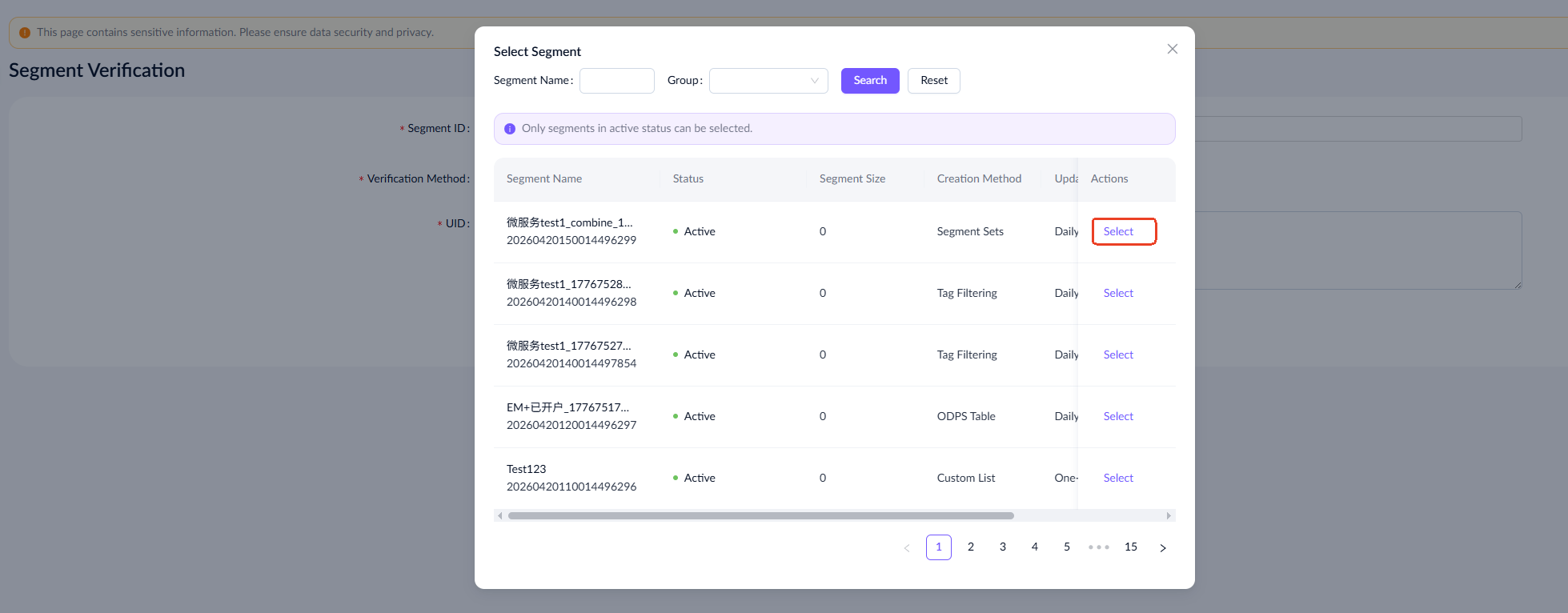
- Click the segment ID entry box and select a segment ID from the displayed list.
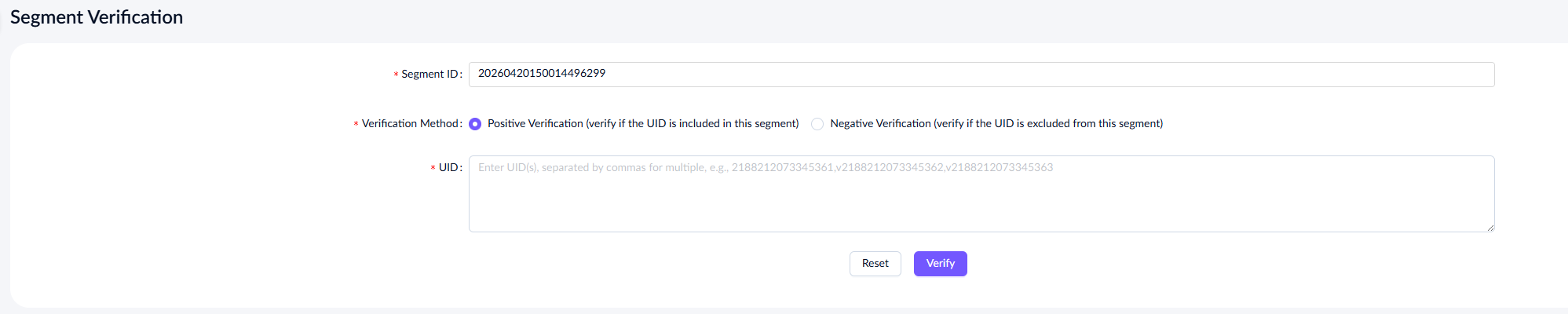
- Select the verification method and enter the user IDs to be verified, separated by commas.
- Click Verify to verify the user IDs and check if they are included in the target segment.