Overview
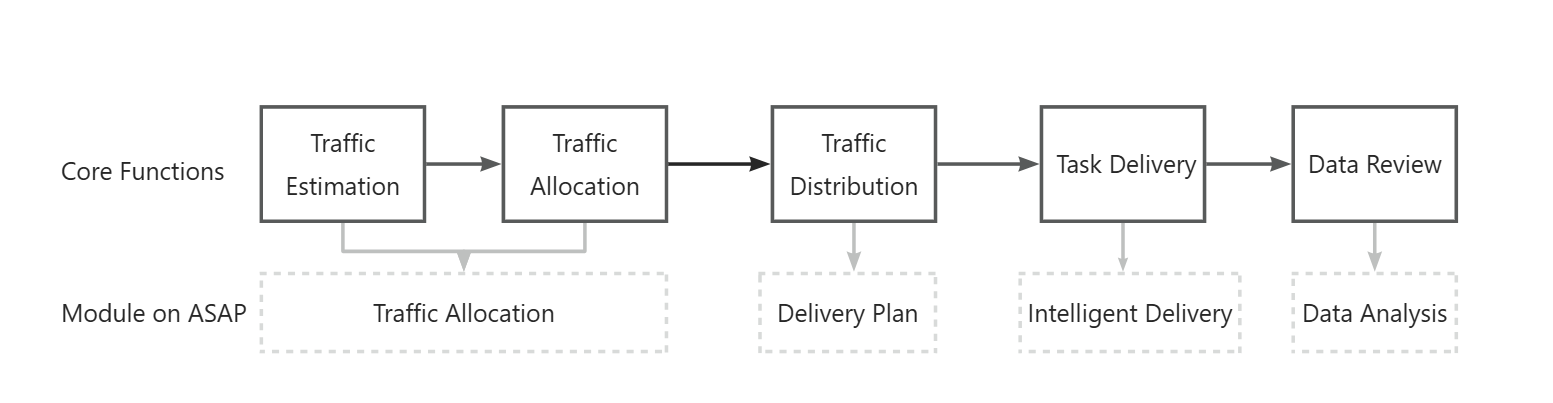
ASAP equips wallet operators with essential tools for efficient traffic management, task delivery, and comprehensive data review. This document provides a complete overview of the business process, from traffic estimation to data analysis, assisting operators to better understand their workflows.
Refer to the following diagram for the complete business process:
Traffic allocation
Traffic allocation encompasses the following two main components:
- Traffic estimation: Involves predicting the required traffic for the upcoming month based on data from the previous month.
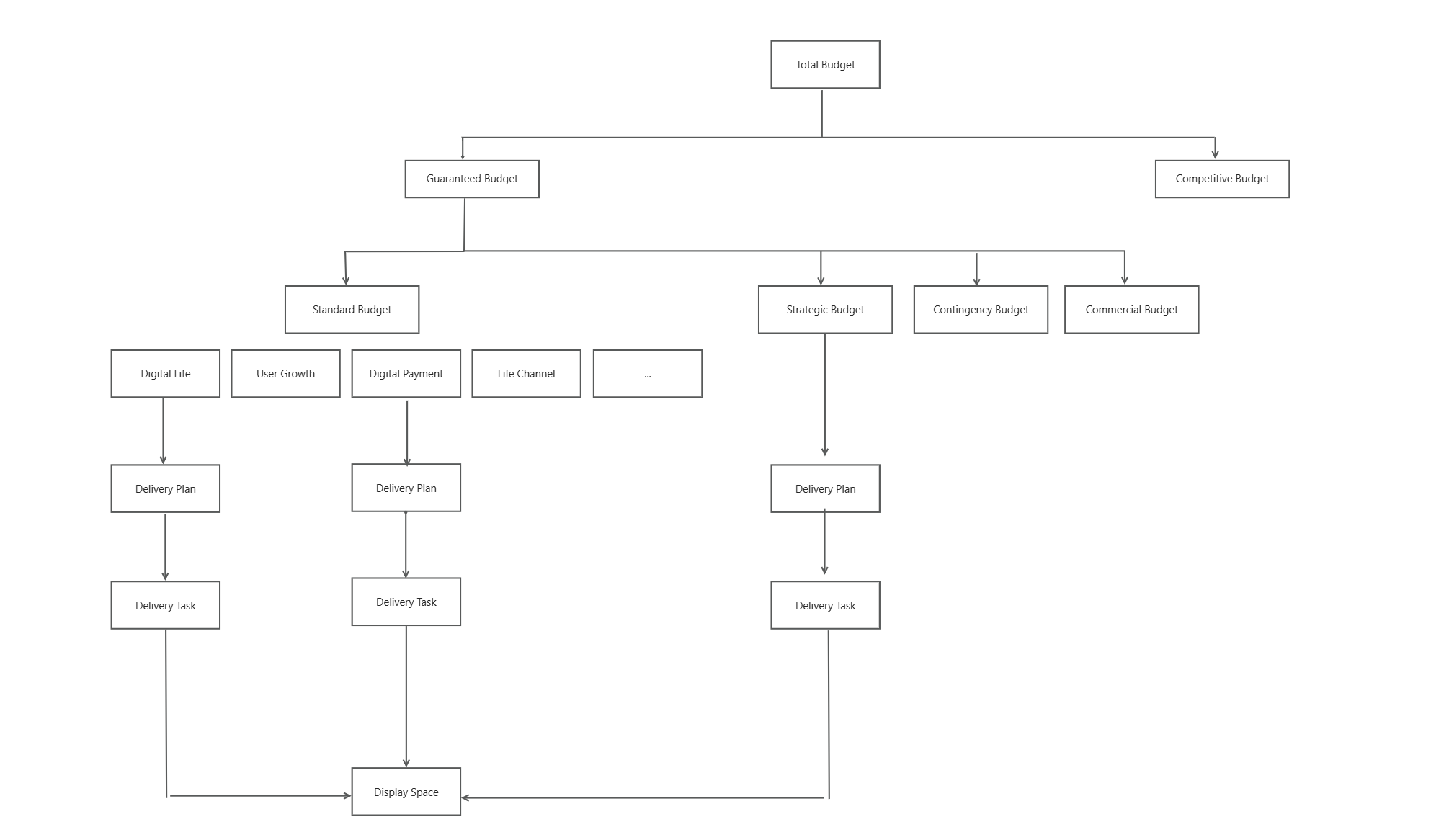
- Traffic distribution: Requires operators to create budget plans for target months by dividing the total budget into guaranteed and competitive segments. The guaranteed budget is then subdivided into standard, strategic, contingency, and commercial categories.
Refer to the following diagram for the logic of traffic allocation:
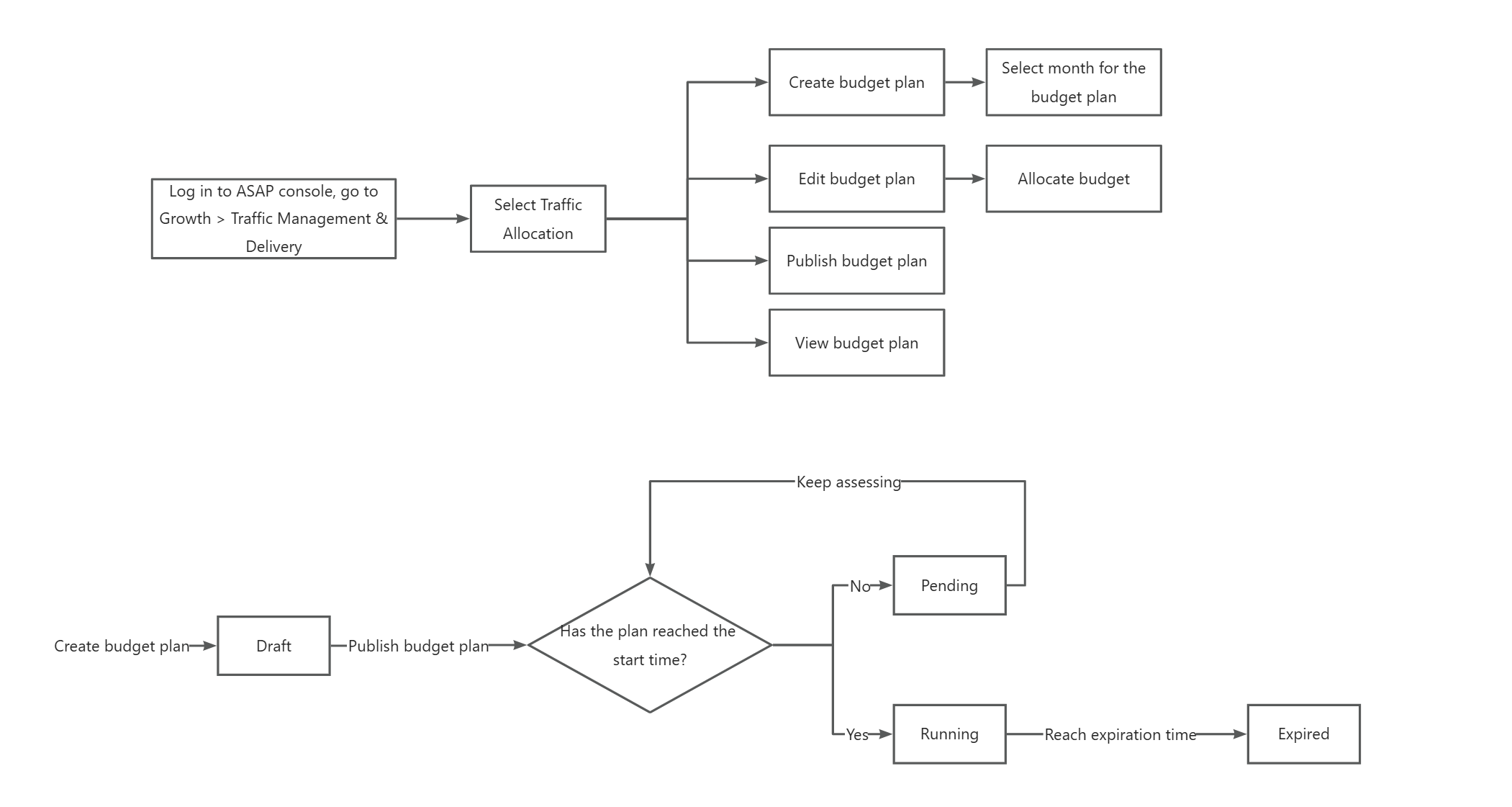
Refer to the following diagram for the business process and state flow of the budget plan:
Delivery plan
Once traffic allocation is complete, the next step is to establish delivery plans. A delivery plan selects a specific traffic pool as its source. When a delivery task is created, it is linked to the relevant delivery plan to access the required traffic.
There are two types of delivery plans:
- Manually Created: Primarily used to manage the traffic of multiple delivery tasks across display spaces for special marketing campaigns. For example, if you intend to run a trade-in promotional campaign, you might choose to deliver it on the homepage banner, feed, and payment result page. By creating a delivery plan linked to these three display spaces, you can more effectively manage and monitor the traffic directed to them.
- System Generated: Designed for routine delivery tasks and limited to using the standard budget as the traffic source.
Refer to the following diagrams for the business process of the delivery plan:
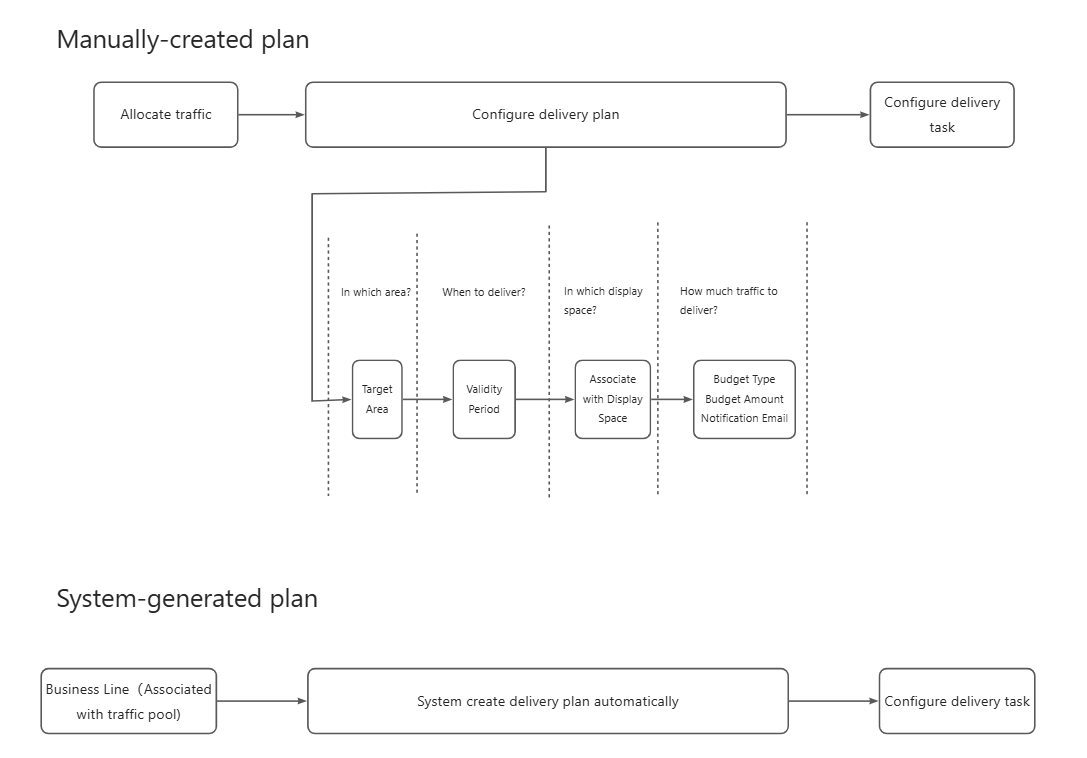
For more detailed instructions, refer to Delivery plan.
Intelligent delivery
To display content to end users, you must create delivery tasks and then deliver them to display spaces. The delivery tasks acquires its traffic budget by associating it with a delivery plan. Delivery tasks are classified into the following four types:
- Operational Space Tasks: Deliver static creatives to spaces through detailed, manual configuration by operators, focusing on precise targeting. For detailed configuration, refer to Operational placement.
- Recommended Space Tasks: Use specific criteria to filter content and employ algorithms to intelligently deliver tasks to card and feed spaces. For detailed configuration, refer to Recommended placement.
- Commercial Space Tasks: Manage tasks related to paid advertising and merchant partnerships.
- Push Tasks: Send notifications or messages directly to users' mobile devices.
For details about the display spaces, refer to Space management.
Data analysis
After tasks are delivered, the system collects a variety of data, including budget usage and traffic consumption, offering comprehensive insights to help operators optimize delivery strategies.
- To view overall performance of delivery tasks, log in to the ASAP console and navigate to Analytics > Traffic Analysis > Traffic Performance.
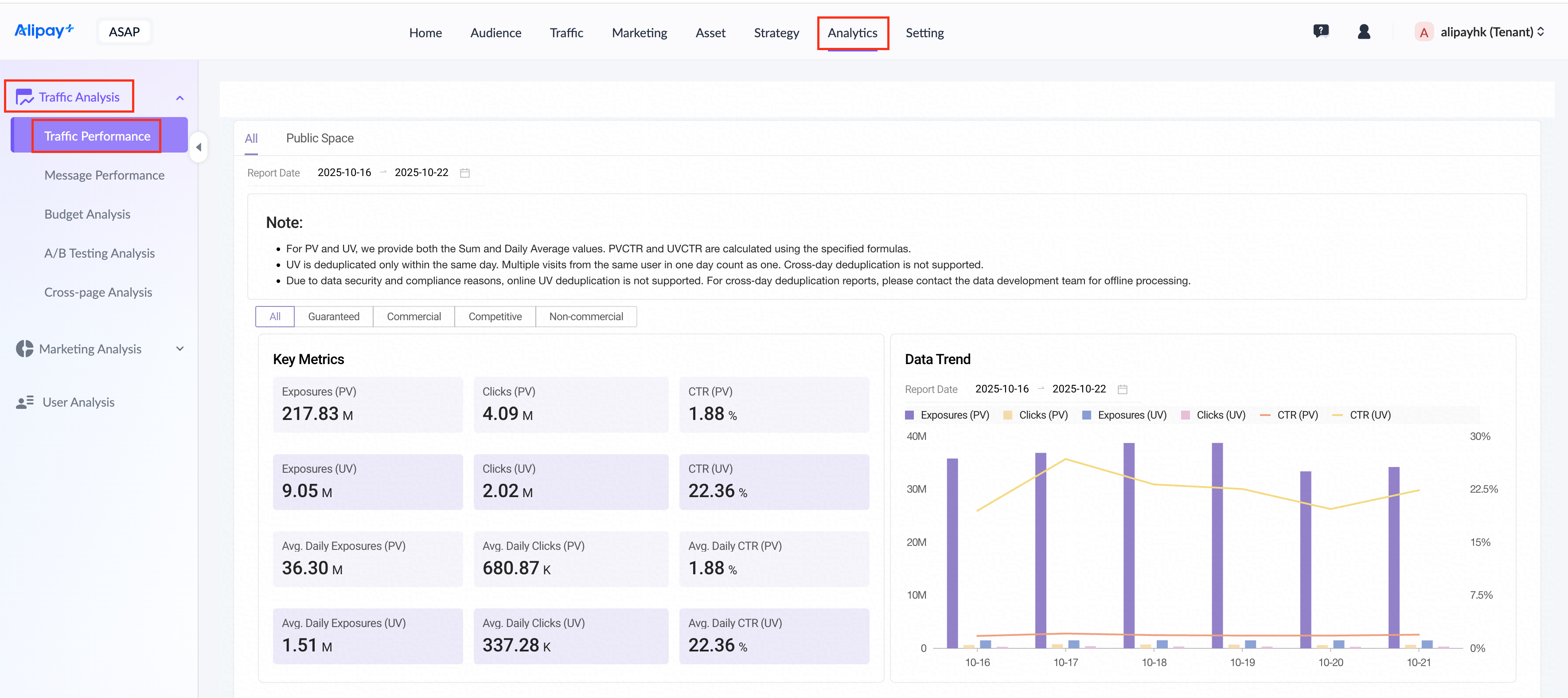
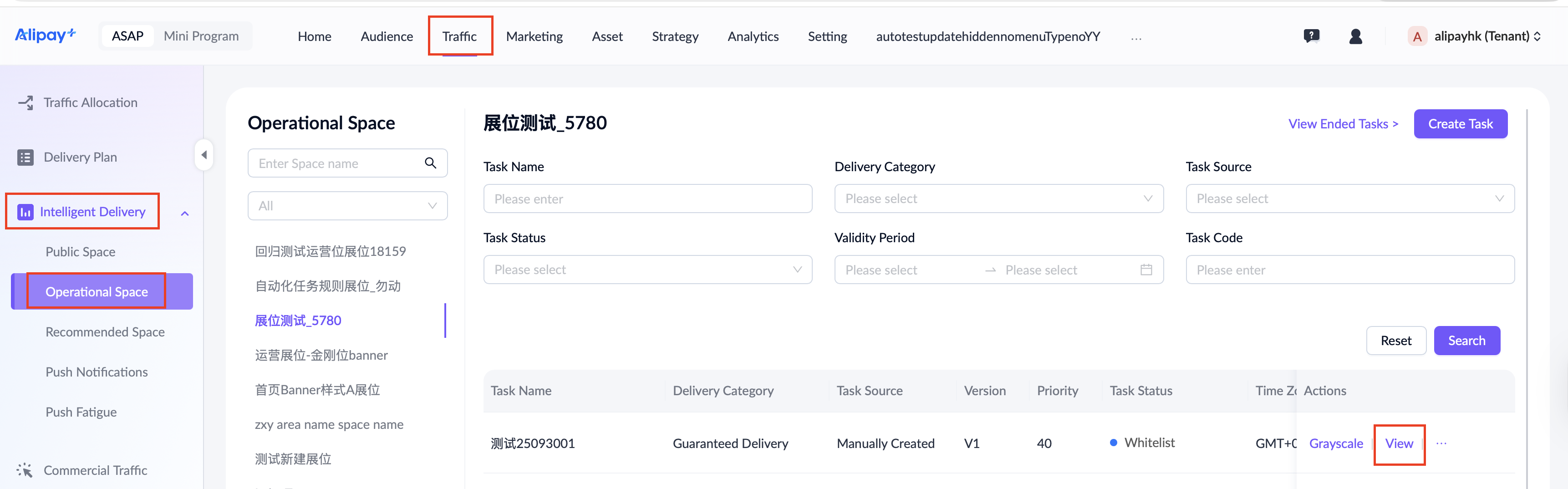
- To view the performance of a specific delivery task, navigate to Traffic > Intelligent Delivery > Operational Space. Locate the task and click View in the actions column. On the page that appears, click the Task Data tab.